
Written by: McFadyen Digital
Reading time: 4 minutes
Updated: 10/22/2026
Published: 10/22/2026
You can’t govern what you can’t see: what we saw at the Databricks Data + AI World Tour in Dallas
The short version: Databricks’ Unity Gateway gives companies one place to see every model, agent, and MCP server in use, track usage and cost, set budgets, and block sensitive data before it reaches a model. Here’s what we saw at the Dallas session, and why we think governance has to come before scale.
Most companies didn’t plan their AI footprint. It grew one experiment at a time. A team connects an external model, another spins up an agent, someone adds an MCP (Model Context Protocol) server to give that agent access to internal tools. Six months later, nobody can say with confidence which models are in use, who is using them, or what it all costs.
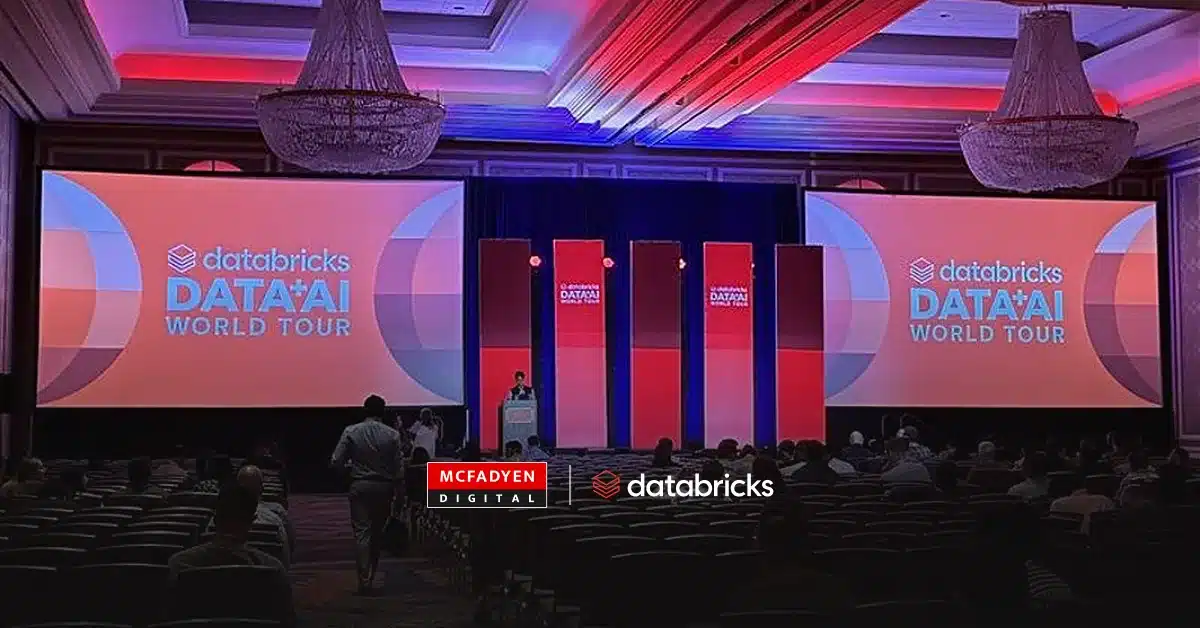
That problem was the focus of one of the sessions at the Databricks Data + AI World Tour in Dallas on October 14. In front of a room full of developers and engineers, Databricks walked through how Unity Gateway is meant to monitor, manage, and govern what presenter Lianna Zelsman, Sr. Product Manager at Databricks, called a company’s “agentic estate” from a single place. Here’s what we saw and why it matters.
What is Unity Gateway, and how does it help you see your AI footprint?
“You can’t govern what you can’t see.” This tagline was on repeat throughout the conference. In a demo in Unity Catalog, every model, provider, MCP server, skill, and agent showed up in one view, including both open source and proprietary models.
The highlight was MCP management. From that same view, an administrator can open a specific MCP server and edit the tools and capabilities it exposes. As agents get access to more internal systems, that becomes an important control point. You decide what an agent is allowed to do in the same place you can see that it exists.
[Add: availability status (GA, preview, or beta) and a link to Databricks’ official Unity Gateway documentation.]
How does Unity Gateway track AI usage and cost?
Usage tracking is on by default for every model. That sounds like a small setting, but it means a team doesn’t have to remember to instrument a new model before people start using it.
Unity Gateway also ships with a prebuilt usage dashboard organized into four tabs:
| Tab | What it shows |
| Overview | Top endpoints, top models, total tokens, and users |
| Performance | Latency and related metrics |
| Usage | Coding agent activity broken out by model |
| Cost analysis | Daily cost by endpoint, plus a way to find individual users who are spending far more than expected |
Teams can add their own custom metrics on top of the standard settings.
Can you set AI spending limits for a team or a user?
Yes, and the budget demo was the most practical part of the session for anyone who has watched an AI bill climb. Lianna created a budget for an engineering team with two layers:
| Threshold | Amount | What happens |
| Shared team budget | $10,000 per month | Sends an alert and blocks usage when it’s hit |
| Per-user budget | $5,000 | Sends an alert only |
The team gets a hard ceiling, and individual heavy users get flagged without being cut off in the middle of their work.
How do you control which models your teams can use?
Model access follows the same pattern. Administrators can serve Databricks-hosted models or connect an external provider. Lianna created a new provider, pasted in an existing API key, and selected which models to make available, in this case some of the newer GPT models. Usage and spend tracking turned on automatically for the new provider service.
How do you stop sensitive data from reaching an AI model?
The last step addressed the question most security teams ask first: what stops sensitive data from leaving?
One example was a “Block All PII” guardrail that applies to all account users. It uses the built-in sensitive data detection guardrail on inputs, with the action set to deny. Any prompt containing personally identifiable information (PII) is rejected before it reaches the model. Databricks offers other out-of-the-box guardrail types as well, and teams can build custom ones.
Everything above reflects what was shown in a live demo. Availability and features may differ as the product evolves.
What does this mean for buyers?
The bigger signal is where Databricks is putting governance. Rather than asking customers to buy and run a separate AI gateway, it is building visibility, cost controls, and data protection into the data platform many companies already use. For teams already on Databricks, that can lower the effort needed to put real guardrails in place before AI use spreads further.
Our view: governance should come before scale, not after
Manufacturers and distributors are starting to put agents to work on product data, quoting, and customer service. [Add a supporting detail: a client pattern, a stat, or “In conversations with our clients…” if accurate.] Each of those touches pricing, customer records, or both.
Knowing which agents can reach which systems, what they cost, and what data they are allowed to see is the groundwork that lets those projects grow without surprises. At McFadyen, this is the conversation we’re having with clients before they scale AI, not after. [Optional: link to Databricks partner page.]
Before AI agents can work on your catalog, your data has to be ready for them. Our free AI Commerce Readiness Audit shows the data, content, and technical gaps to close first.
Frequently Asked Questions
What is Databricks Unity Gateway?
Unity Gateway is Databricks’ approach to monitoring, managing, and governing AI models, agents, and MCP servers from a single place inside the Databricks platform.
What is an MCP server?
MCP stands for Model Context Protocol. An MCP server gives an AI agent access to tools and data in internal systems, which is why controlling what each server exposes matters for governance.
Can Unity Gateway block usage when a budget is reached?
In the demo, a shared team budget was set to both alert and block usage at the threshold, while a per-user budget was set to alert only.
Can it stop personal data from reaching an AI model?
In the demo, a “Block All PII” guardrail used built-in sensitive data detection to reject any prompt containing PII before it reached the model.
Does it work with models from outside Databricks?
Yes. Administrators can serve Databricks-hosted models or connect an external provider, and the demo included both open source and proprietary models.
Related Articles

Turn Insight Into Impact.
Start Today.